AI receipt scanning
Take a photo or pick one from your gallery. Long receipt? Add several photos — they all go to the model as one receipt in parts.
Snap a photo of a receipt, or just say what you bought. The rest lands in your private Google Sheet — 12 monthly tabs, your categories, your data. We don't copy your budget anywhere else.
We don't keep a database of your expenses. Entries go straight from your phone to the sheet on your Google Drive — the same one you can open in a browser, share with family, or export to Excel.
A photo (or several photos of one long receipt) goes through our server to an AI model — no account to create, no keys to enter. It comes back as a ready-made entry or a list of items, each with a suggested category you can adjust before saving.
The Android app is live today; the iPhone version is in the works — both are built with Kotlin Multiplatform and Compose Multiplatform, so they share identical screens and identical logic.
Every feature from day one — the free plan and Premium differ only in the AI operation limit, not the toolset or any mystery cloud sync running in the background. Concrete tools for logging expenses faster than it takes to find a pen.
Take a photo or pick one from your gallery. Long receipt? Add several photos — they all go to the model as one receipt in parts.
One entry for the whole receipt, or a full breakdown into items — each with its own category and amount field. The mode is remembered between scans.
The app sums the edited items live and compares them with the total read from the receipt. It matches — you get a ✓. It doesn't — you see a warning before you save.
“Gas two hundred thirty zloty, coffee twelve fifty, pharmacy thirty-two” — one sentence, several expenses, a list to check, and a single save.
The app automatically detects categories from your sheet's layout. You can add and remove them right from your phone — for selected months only, or for the whole year at once.
Log income in PLN, USD, and other currencies from a list in your sheet. The USD rate comes from the sheet itself, so summaries are always calculated at your own exchange rate.
Fix a title or amount in place, move an entry to a different category, or copy a fixed cost (rent, a subscription) to selected months in one move.
You don't need an OpenAI account or key. The app sends requests to OpenAI directly, on our key and our bill — we handle the model and its updates on our end, you just scan.
A real screen recording, start to finish: adding expenses, scanning a receipt, and the monthly summary — no editing, just the app running at its own pace.
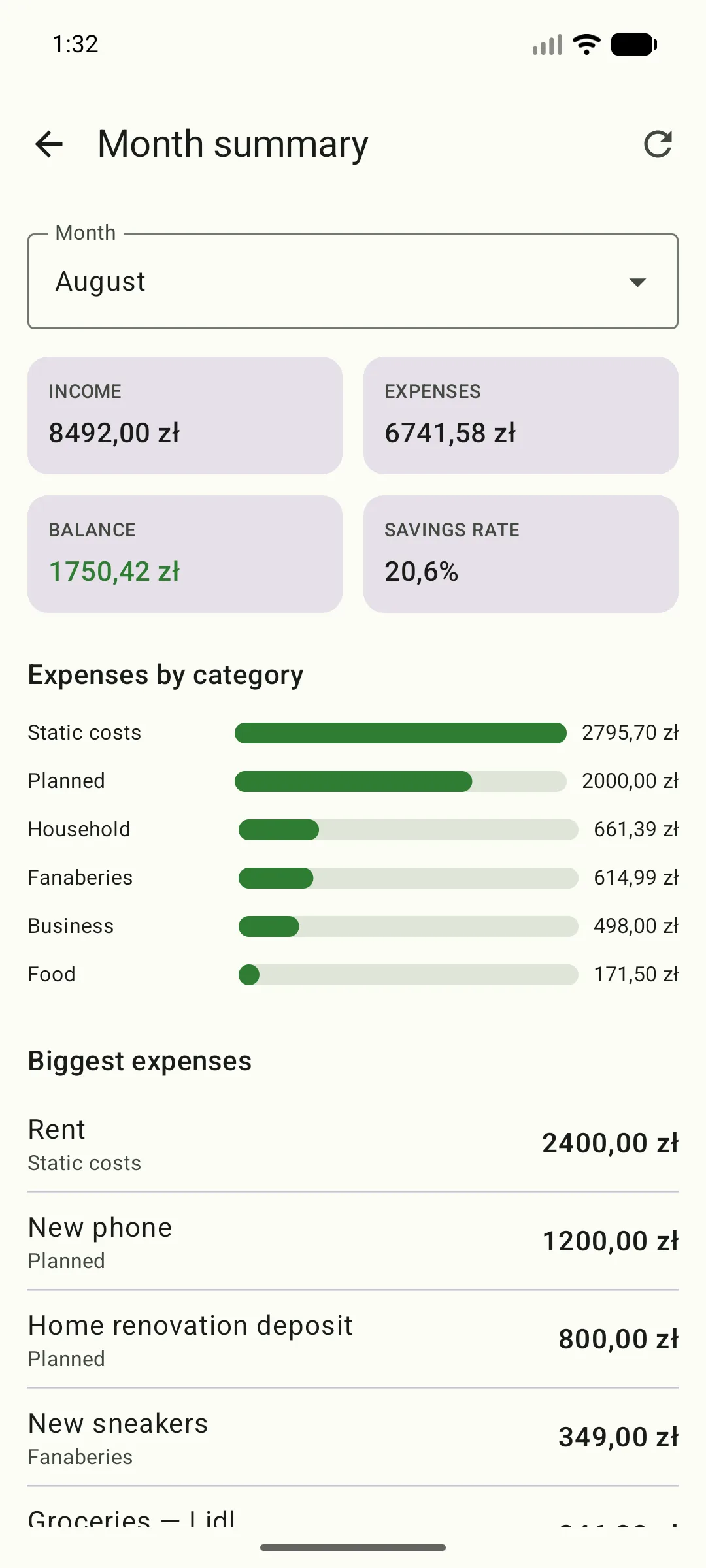
Screenshots from the working app, straight off the phone. The data shown is sample data.
Scroll sideways →
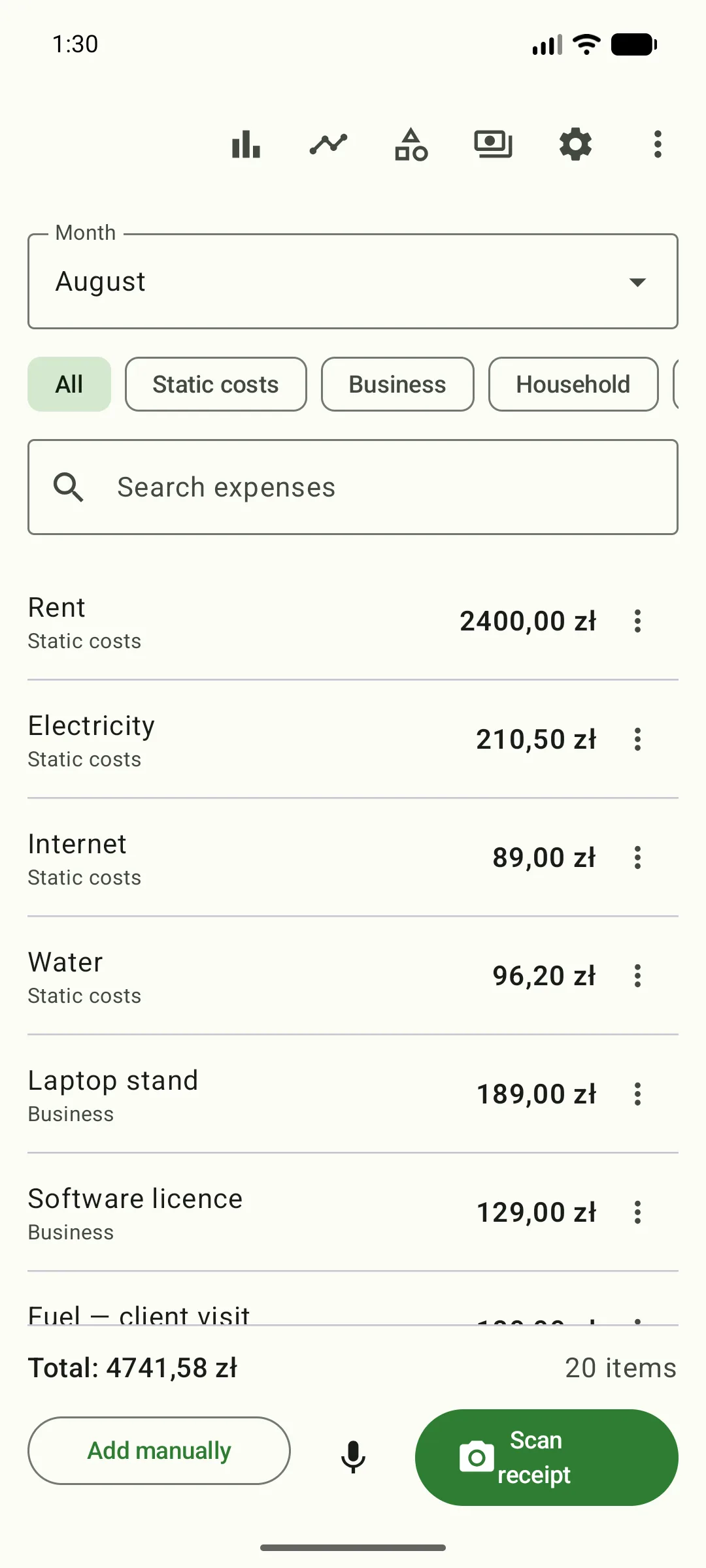
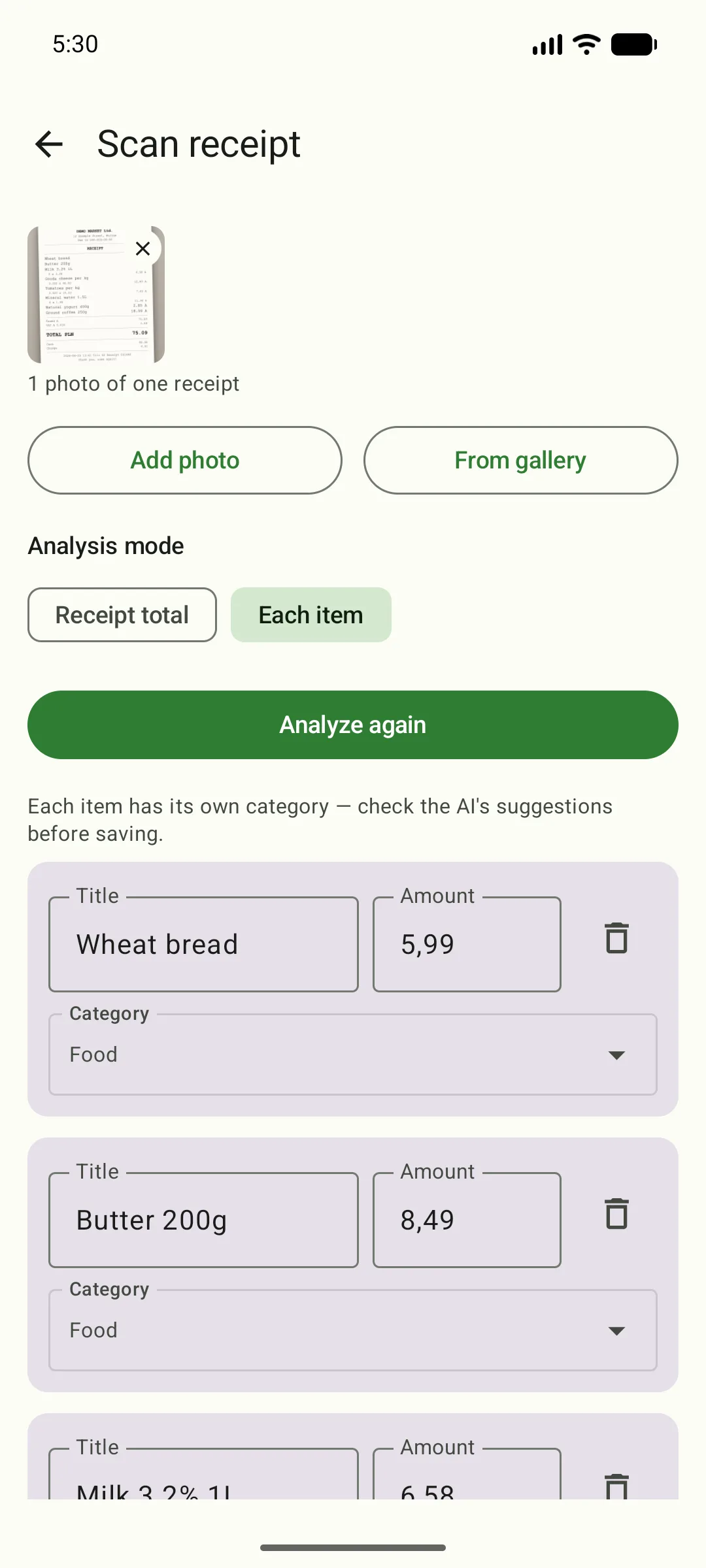
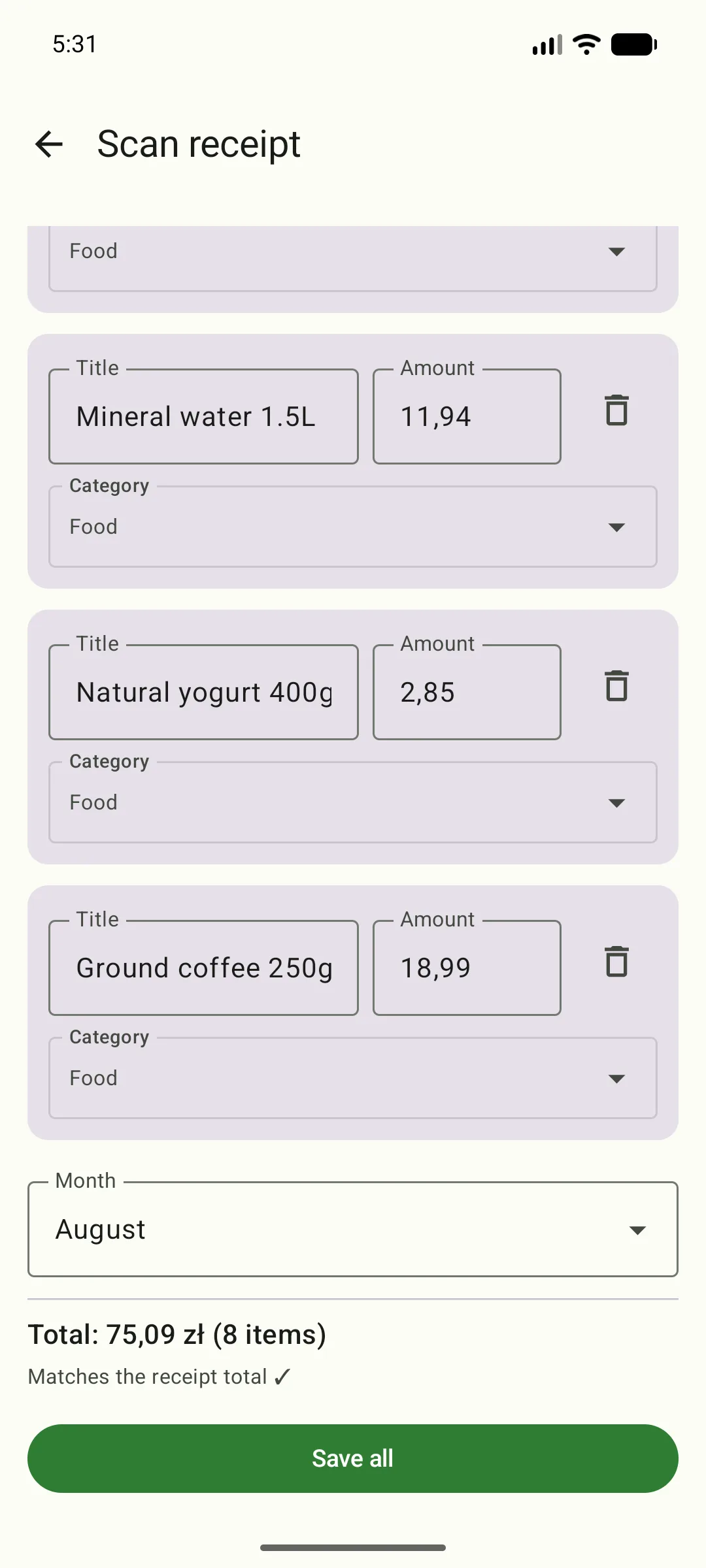
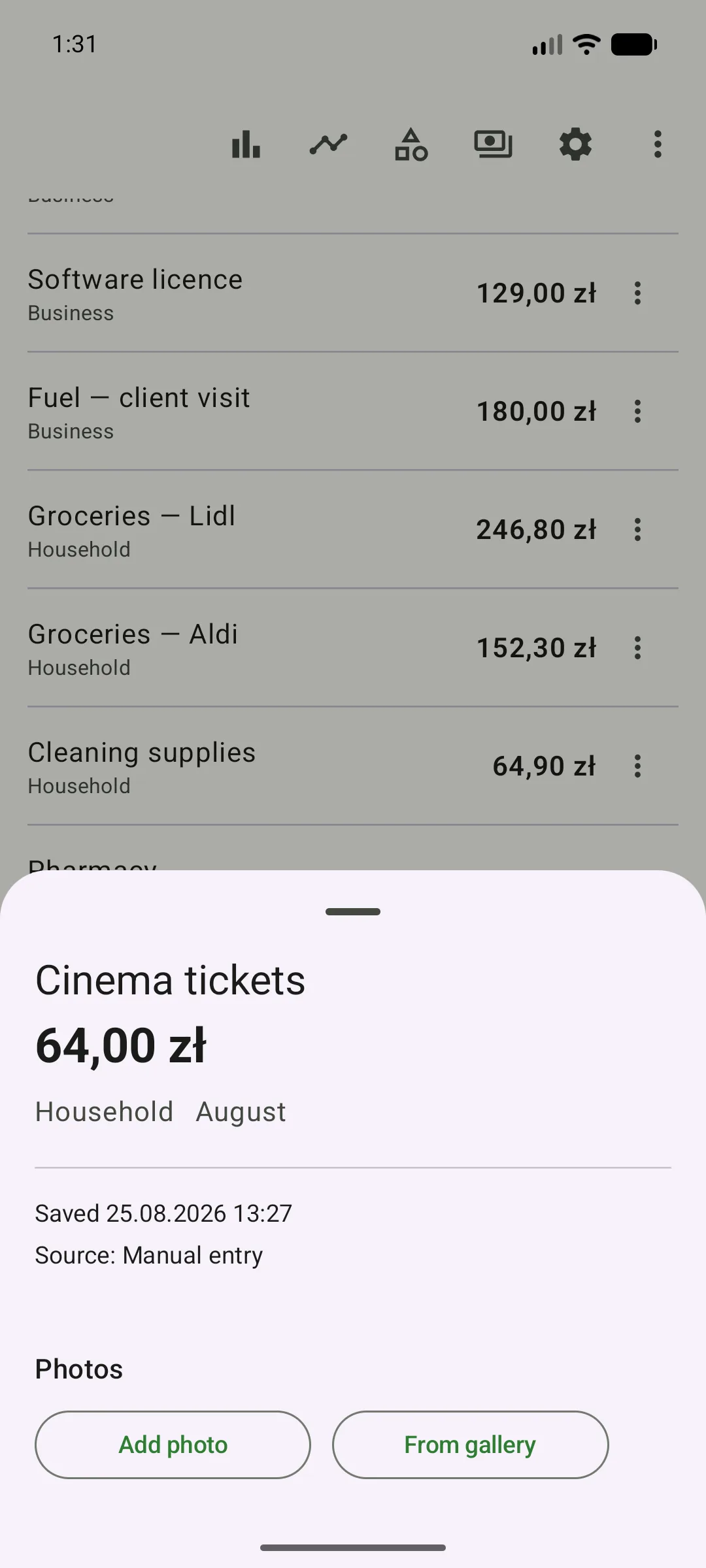
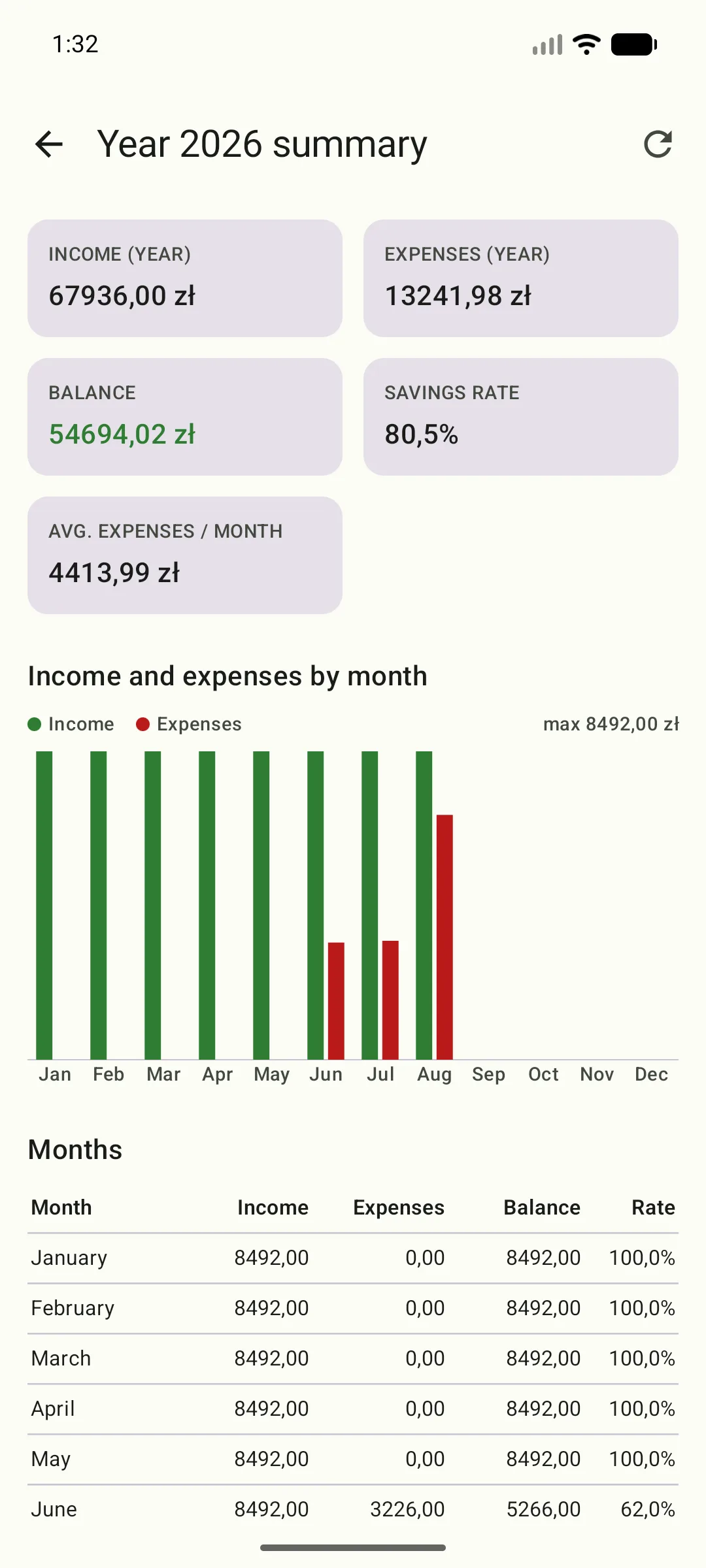
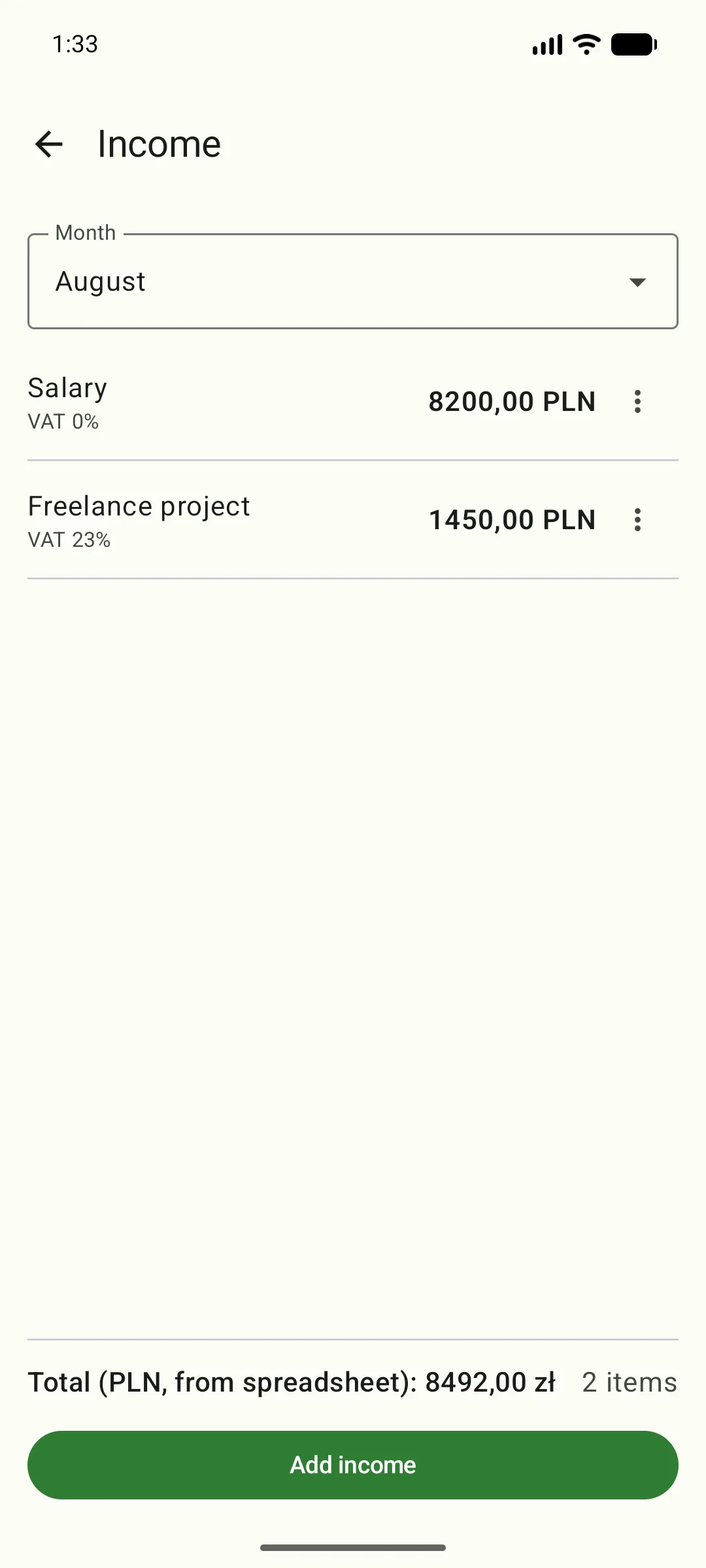
Setup is a one-time five minutes. After that, the app remembers everything — your sheet, your categories, and your scanning mode.
Sign in through Google's official screen. The app only asks for access to one sheet — the one you point to — plus, on Android, your email address; not your whole Drive, your mail, or your contacts. You're on the free plan right away: 15 AI operations a month, no card, no keys.
One tap in Settings creates a sheet with 12 monthly tabs, an exchange-rate tab, transfer counterparties, and a ready-made dashboard. Already have your own sheet? Pick it in Google Picker.
AI analysis works right away — nothing else to configure. A receipt from the store, an expense dictated on the way home, or a manual entry — it all lands in the right category of the right month. Run out of AI operations for the month? Watch an ad for +2, or switch to Premium in the app.
Since the data lives in a Google Sheet anyway, you can work with it like any other spreadsheet — formulas, filters, pivot tables. The template already has it set up.
12 months + payees + data — in one file on your Drive.
The basic plan is free forever — unlimited manual expense entries, plus 15 AI operations (a receipt scan or a dictation) a month; the limit resets on the first day of each month. Run out? Watch a short rewarded ad and get +2. Premium (11.99 zł/month or 97.99 zł/year) removes the AI limit and turns off ads; you buy and cancel it directly in the app, through Google Play or the App Store — you never hand us your card details.
No. By default, receipt and dictation analysis works right after you sign in — model requests go straight to OpenAI, on our account and our bill, and the cost is covered by your free monthly limit or by Premium, which removes that limit entirely.
Yours — literally. Your budget is saved in a Google Sheet on your own Drive, which you own: the app writes to it directly from your phone, and we don't keep a copy of your entries. We have no server of our own holding your data. The AI analysis is done by OpenAI: it receives a receipt photo or dictated text (and, for the shopping list and the report, the data described in the privacy policy), returns the result, and processes that data only under the terms described in the policy. If you uninstall the app, the sheet stays — with its full history.
Partly. The last loaded expense list shows up right away, even with no signal, and a product added to the shopping list offline stays on screen so you can retry the save with one tap. Saving an expense to the sheet and analysing a receipt (OpenAI) need a connection — without one you can prepare the receipt photo and save the entry later.
No API keys, no extra accounts with AI providers — we take care of the whole analysis setup ourselves.
Sign-in happens on Google's official screen, and the app only asks for access to one sheet — the one you point to — plus, on Android, your email address; it has no access to the rest of your Drive, your mail, or your contacts. On Android the sign-in token lives only in the app's memory (it is never written to disk); on iOS it goes to the Keychain; and the connections to Google and OpenAI are encrypted with TLS. We never see your card details — payment is handled by the app store. You can revoke access any time at myaccount.google.com/permissions. Details in the privacy policy.
Because it describes the permission, not the app. Rowly asks for a single Google Drive scope ("access to files created or opened with the app") — the narrowest one that still lets it write expenses into a sheet. Google lists everything that scope technically covers for those few files: viewing, downloading, deleting, sharing. The app uses only two of those: creating the sheet from the template, and reading and writing cells in that one file. It never deletes a file or changes its sharing, and it cannot see any other file on your Drive. We deliberately dropped the broader scope (every spreadsheet on the account); a narrower one with write access does not exist.
No. The app recalculates the helper tables and dashboard itself after every entry, so scripts in the sheet aren't needed — they only help if you want to edit the budget manually in the browser.
The free plan works from day one, no card required — 15 AI operations a month, plus rewarded ads for +2 more. Premium (11.99 zł/month or 97.99 zł/year) removes the AI limit and turns off ads; you buy and cancel it through Google Play or the App Store, so you never hand your card details to us.
Rowly is already available on Google Play; the App Store version is still in the works. The app doesn't collect email addresses or waitlist sign-ups — just check back here later, or search for “Rowly” on the App Store once it lands.